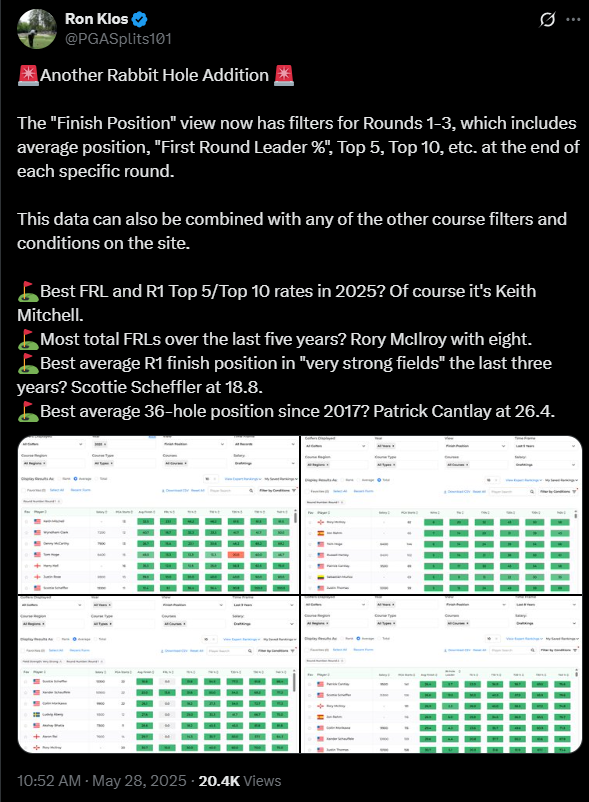
For golf betting and DFS enthusiasts, precision is everything. The Rabbit Hole’s Finishing Position page on Betsperts Golf is your ultimate tool for making informed wagers and lineup decisions. Packed with actionable data, this feature breaks down players’ projected finishing positions, empowering you to target top performers and maximize your edge. Dive into this powerful tool and discover how its insights can fuel your next big win.
Maybe you’re new, maybe you’ve been with us since the beginning. Either way, reviewing or discovering some of the functionality of the Rabbit Hole could turn out to be what unlocks some data for you.
Finish Position View
This is a pretty simple one, in the View drop down, scroll to the final option: “Finish Position”
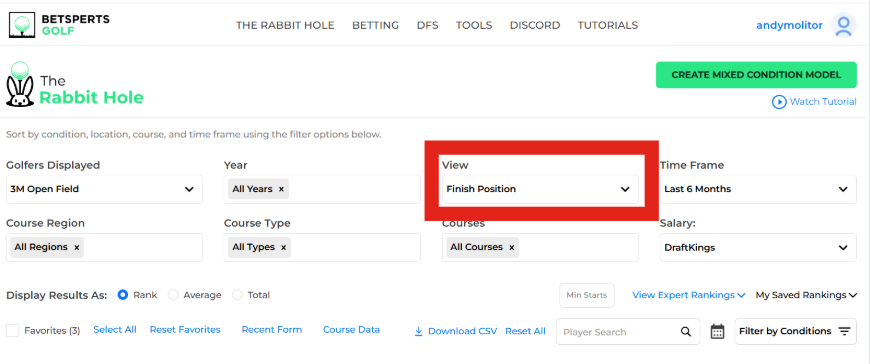
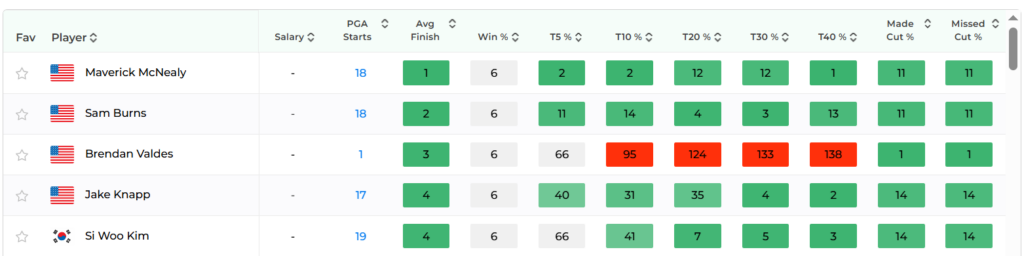
Default settings will use the current field (in this case, the 3M), but if you wanted to, you can switch the “Golfers Displayed” drop down to an alternate field or even “all golfers”. The other default will be the time frame (6 months), and the results display (rank). As you can see, it shows who’s had the best average finish position over that time frame, but there are definitely ways to hone in better.
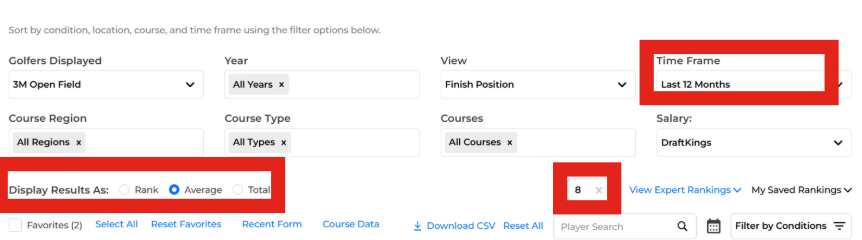
In this case, a slightly bigger sample is probably good, so we switched the time frame to the past year. There were also a few names with very little golf played, clogging things up, so we entered a minimum round threshold of eight. Also, since I wanted a little more context, we switched the display from rank to average.
From here, the world’s your oyster. There are a ton of ways to further parse the data, but as always remember: adding too many filters can give you some tiny sample sizes, sometimes no data at all. I like to click through the top columns, sorting by different finish positions, seeing if there are some outliers. You’ll often find some weirdness here, from guys with a knack for making the cut (but can’t sniff the top 20 for their life), to guys with some spiked results (missing the cut often, but with a high percentage of T10%).
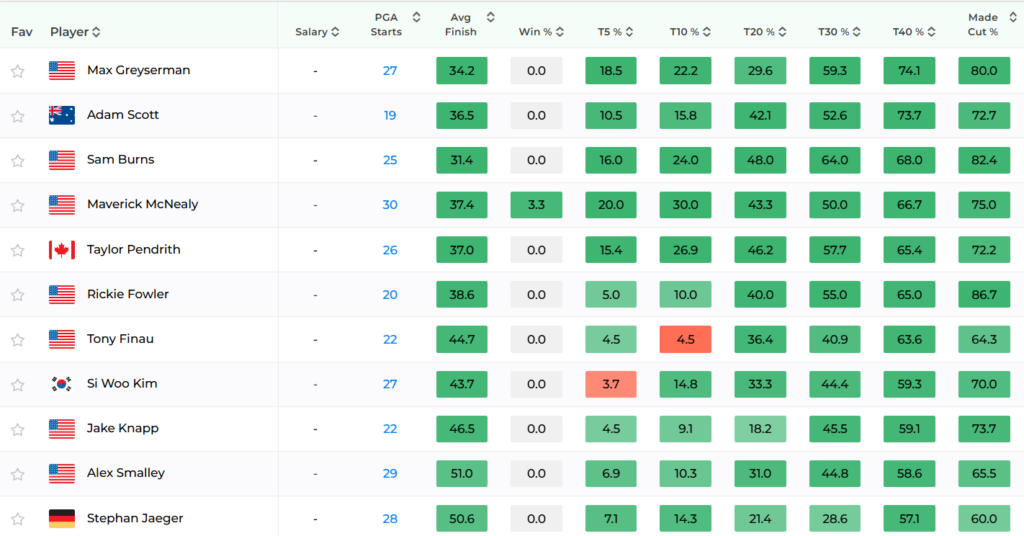
This screenshot is unfiltered, but for a week like the 3M, you could certainly add some filters to get a better handle on how things may shake out.
Some ideas:
- Water Danger: High
- Scoring Conditions: Easy
- Field Strength: Weak
- Course Type: TPC
As always, make sure to keep your head on a swivel when adding filters. If you start to get too granular, you may need to increase your time frame to make sure you’re getting a good look at something useful.